






Google announces five new updates for Android, focusing on accessibility, usability, and a personalized experience. Among them, Gemini is used in scenarios such as visual assistance and remembering the location of objects, becoming the main technical support for this round of updates.
Android 17 adds motion sickness relief feature
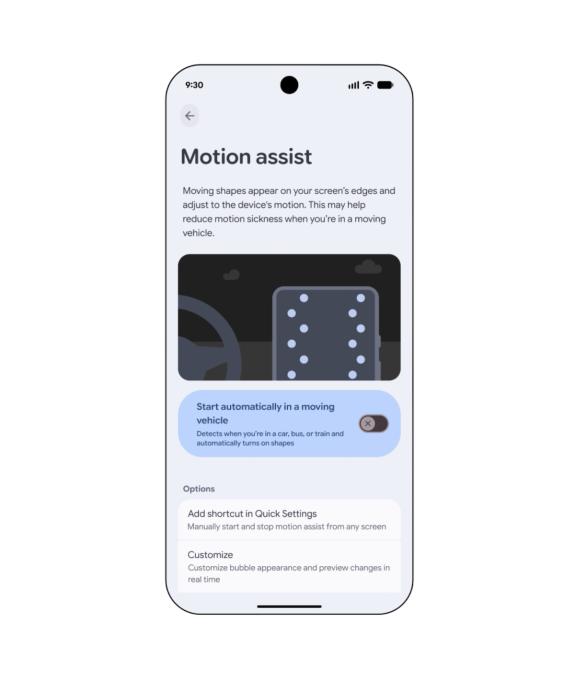
The new feature “Motion Assist” is designed for users who often experience motion sickness when using their phones inside a vehicle. This feature adds a bubble overlay on the screen that changes with the movement of the vehicle, in order to reduce discomfort caused by the discrepancy between visual perception and physical sensation.
Users can set this feature to automatically enable it or add it to their shortcut settings. The shape, color, and transparency of the bubbles can also be adjusted. Google stated that this feature will be available to Android 17 users.
Gemini is used for assistive recognition for people with low vision.
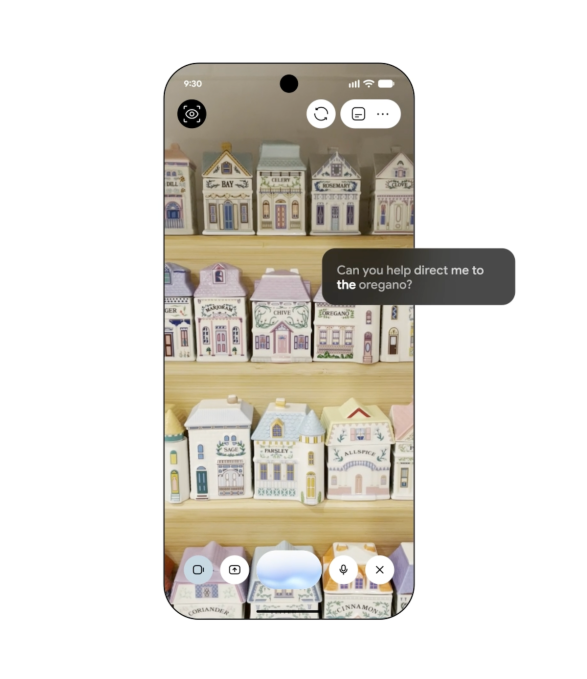
Google has also launched “Guided Vision” for blind and low-vision users. This feature combines the phone's camera with Gemini and can be used to read small text on food labels, view menus in dim environments, or identify items at home.
When the camera position is not appropriate, the system will also prompt the user via voice to move their phone, adjust the direction, or place the target in the center of the screen. Google states that this feature will be available on devices with Android 9 and above, provided that the Gemini service is available in that area.
Find Hub Added item location memory
Another update introduces Gemini into Find Hub. The newly added “remembered items” area allows users to directly inform Gemini where an important item is located, such as a passport in the bedroom drawer. The system can save this information for easy later retrieval.
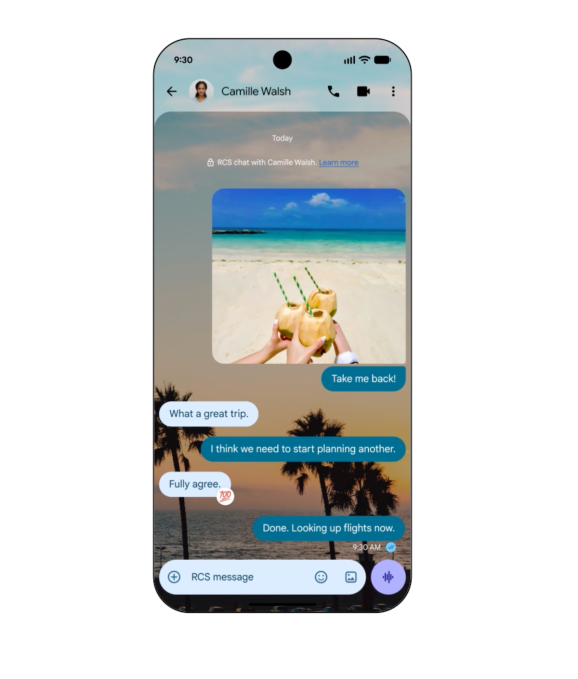
Users can also attach a photo to help in identifying the target item more quickly later on. In addition to the AI feature, Google Messages will also add personalized chat options. Users can set a background, photo, and color for individual conversations, and the message bubbles will automatically match the overall style.
From the perspective of product development timing, some of the features are similar to those previously launched by Apple on iPhone, but this time Google places more emphasis on the integration of Gemini in everyday usage scenarios.