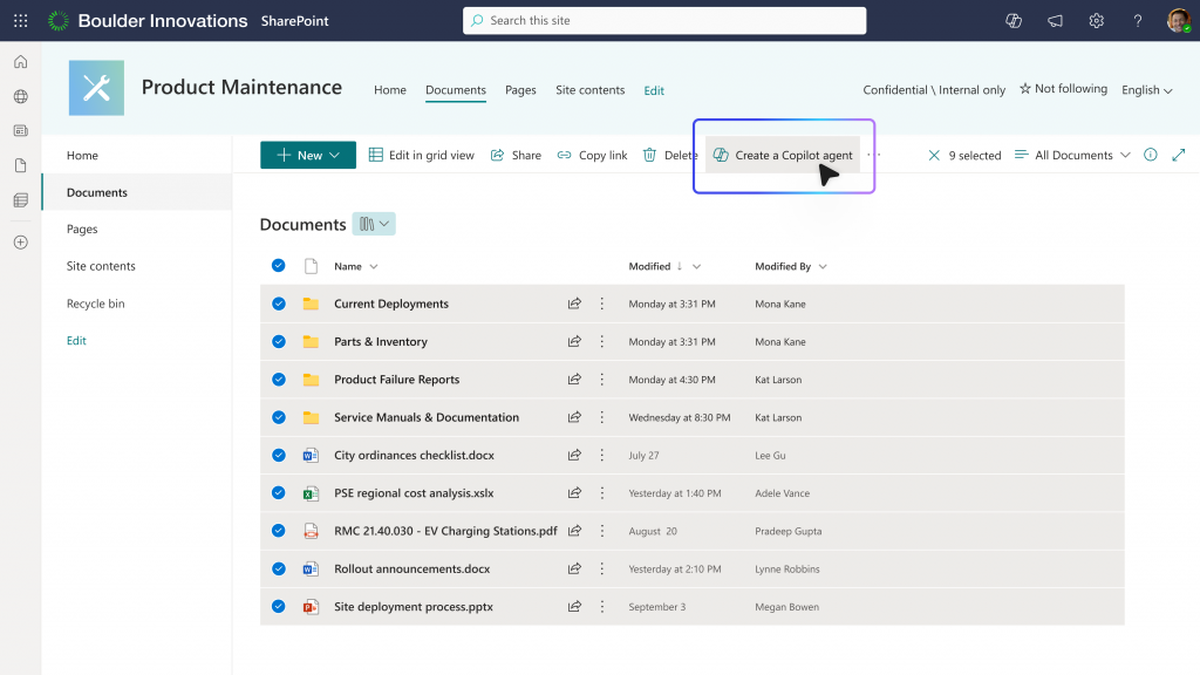













On September 25th, Microsoft released a new version of Copilot, reorganizing the core components of the product into three parts: Home, Code, and Autopilot. They also announced that Word, Excel, and PowerPoint would be directly integrated into Copilot. Home and Code will gradually be incorporated into the Microsoft Frontier plan over the coming weeks, while Autopilot is scheduled to enter a private preview phase by the end of the month. This timeline is important as it indicates that the new version is not yet fully available to all customers; instead, it is in a phase of phased testing and expansion. Unlike adding a few buttons at once, this change represents a redefinition of Microsoft's approach to user interaction with AI – chat, task assignment, application development, and office documentation are no longer scattered across multiple products but have been brought together into a single, cohesive interface that allows for continuous and efficient work.
Over the past three years, the typical way of using AI by companies has been to “ask a question and get a piece of answer.” However, the actual work that companies invest time in often spans multiple files, systems, and approval processes: organizing meeting materials requires reading emails and documents, generating budgets involves understanding the format of tables, and updating project status depends on feedback from colleagues. A single conversation is hardly capable of handling such processes. Microsoft has parallelized Chat and Cowork within Home with the intention of allowing users to ask questions instantly as well as delegate complete tasks to agents. Code enables non-developers to build applications and automate processes using natural language; Autopilot allows tasks to continue progressing even after people leave their computers. Together, these three elements are not aimed at creating a more sophisticated chatbot, but rather at transforming Copilot into a work scheduling platform.
Behind one entrance lies three completely different work rhythms.
Home is designed for daily use. Chat is suitable for quick searching, drafting, and explanation, while Cowork is aimed at longer task chains. By combining both, users can reduce the need to switch between the "Q&A tool" and the "proxy tool." However, this also requires the product to clearly define the boundaries: a single response is usually completed within the current session, whereas proxy tasks may involve continuous access to organizational data, application calls, and background operations. Users need to be aware of the scope, permissions, and expected outcomes before a task is assigned, rather than waiting until the results are available to understand what the system has done.
Code targets the long-standing "small application gap" within enterprises. Many teams require forms, approvals, data organization, and reminders, but these tasks are not worth including in the roadmap of professional development teams. Microsoft claims that Code is based on the relevant technologies of GitHub Copilot and allows non-developers to create applications and automate processes using natural language, which can then run within an organizational environment. While it may lower the barrier to prototyping, natural language generation does not eliminate software engineering. Permissions management, data validation, version control, exception handling, and maintenance responsibilities still exist. If enterprises misunderstand "able to generate" as "ready for direct deployment," it is easy for temporary scripts to become new, hidden IT.
Autopilot represents the third rhythm: tasks continue to execute even when the person is not online. It maximizes efficiency but also poses the greatest risk. The backend proxy must know when to continue, when to stop, and when to ask for assistance; it needs to handle web page changes, file conflicts, permission failures, and data losses; it must also leave sufficient evidence after a failure for review. Microsoft's choice to first expand private previews rather than launch it comprehensively reflects that continuous proxying requires more stringent verification. Corporate evaluations of Autopilot should not focus solely on completion rates but also consider error rates, the number of manual interventions, reversal capabilities, and task costs.
Office direct connection makes Copilot more useful and also makes governance more concrete.
Word, Excel, and PowerPoint directly lead to Copilot, which is the most practical step in the new version. Users can create and edit these formats within Copilot, with the content staying synchronized with the Office application. This approach reduces the loss associated with "copying and pasting after generation" and also allows proxies to iterate around the original files. However, direct linking of documents means that AI no longer just outputs a draft; it may now modify actual business assets. As a result, version history, annotations, source references, and approval processes cannot be considered additional features. Especially for Excel, changing a formula, unit, or filtering condition could potentially alter the decision-making outcome. Therefore, the system needs to clearly indicate machine-made modifications and allow for item-by-item checking.
The new version also emphasizes Fabric IQ, Work IQ, and Plugin Registry to make more comprehensive use of organizational data, business processes, and applications. Whether a company's AI responses are reliable often does not depend on how much common knowledge the model remembers, but rather on its ability to find the correct version of internal information and understand who has access to what. Integrating the data foundation, work context, and plugin directory helps to reduce contextual fragmentation, but it also turns governance from abstract principles into concrete engineering: who is the owner of each data source, how often are indexes updated, whether sensitive fields are masked, and what actions plugins can perform—all of these need to have traceable answers.
For Microsoft, this design leverages existing strengths. Office represents the content production layer, Teams handles collaboration, Fabric connects data, GitHub provides coding capabilities, and the identity and compliance system is responsible for managing permissions. If these layers can be effectively integrated, there would be no need to compete for entry points in each scenario. However, the deeper the integration, the more concerns users have regarding lock-in effects and the expansion of permissions. Enterprises need to be able to restrict agents to read-only or write-only access, configure tool allowlists for different departments, and export logs to existing audit systems. Without unified auditing of the plugin registry, it could instead become a new entry point for supply chain risks.
The new version of Copilot does not suggest handing over all processes to Autopilot immediately; instead, it recommends stratifying tasks based on risk. For tasks that are low-risk, highly repetitive, and have easily verifiable results, agents can be entrusted to carry them out completely. However, processes that involve external communications, financial figures, personnel decisions, or irreversible operations should retain clear human confirmation. Applications generated by Code must undergo normal software review, document modifications made by Office should keep track of versions, and background tasks should have set time limits, budgets, and permission caps. Only with these basic controls in place can continuous automation truly transform from a demonstration into reliable productivity.
Microsoft's latest release takes AI office collaboration to the "operating system for work" level: Home is responsible for capturing intentions, Code transforms these intentions into tools, Autopilot ensures the continuous operation of these tools, and Office provides real context by integrating with organizational data. Since multiple modules are still being gradually introduced and are in private preview stages, what the outside world can confirm for now is the general direction of the product, rather than its effectiveness in large-scale production. What is truly worth observing next is the stability of the system in complex corporate environments, the governance costs involved, and the user experience when taking over these tools. If these aspects are managed correctly, Copilot could potentially evolve from a sidebar assistant to a central entry point for work; however, if not, a more proactive AI approach might only result in more automation that requires human intervention to manage.