









On October 6th, according to a report from tech media 9to5Mac, Apple has fixed an issue in the macOS 27 system where, after connecting to a third-party monitor, the system was unable to enable high-resolution displays (2560×1440) properly.
Note from the website: IT refers to High Dynamic Range (High Dynamic Range, High Dynamic Range). This technology expands the brightness range and color reproduction of an image, allowing more detail to be retained in both bright and dark areas. Common applications include movie playback, photo editing, games, and video production.
There is a limitation between macOS and Tahoe. After users enable HDR, when connecting to third-party HDR monitors, the system can typically only use a resolution of 1920×1080.
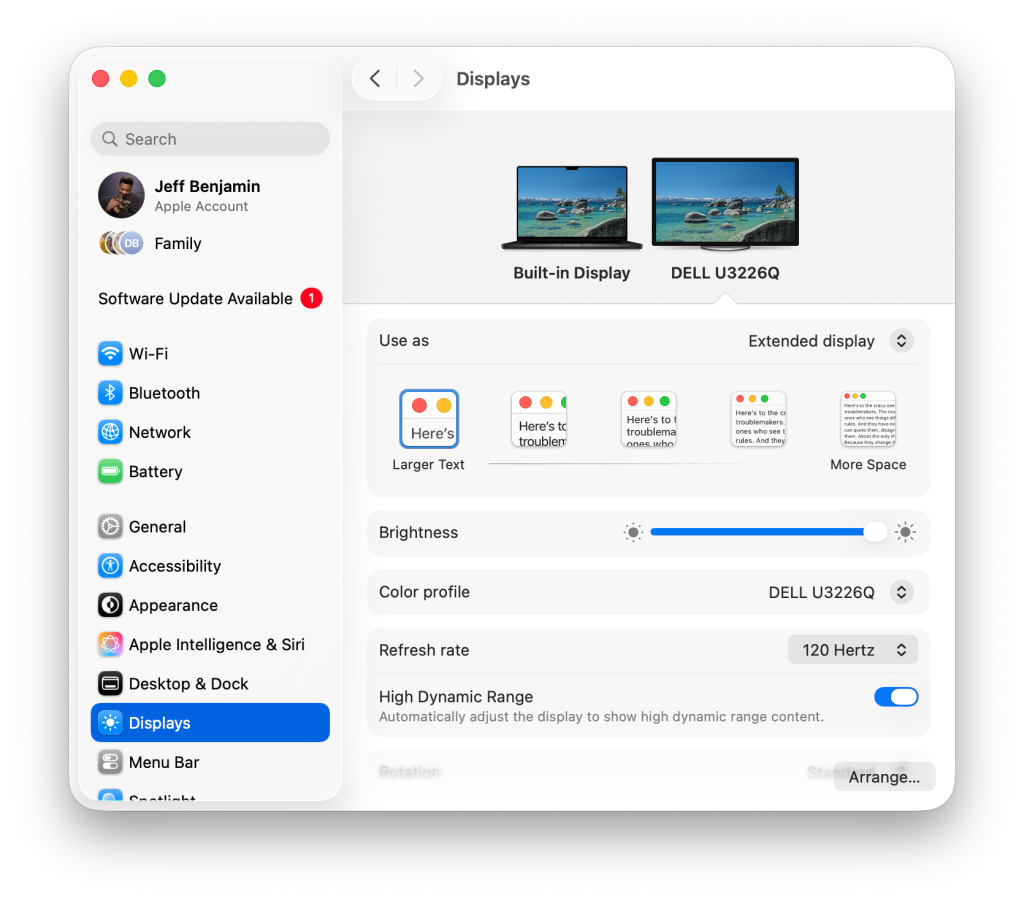
The media pointed out that when using a resolution of 1920×1080 on a 32-inch 4K monitor, the interface elements appear larger, and the available desktop space is reduced as well. Therefore, some users prefer to choose scaled resolutions such as 2560×1440.
However, in macOS Tahoe, after the user selects 2560×1440, the system will disable the HDR switch. The system then automatically switches back to the standard dynamic range, and users are unable to retain both HDR and the commonly used zoom display effect at the same time.
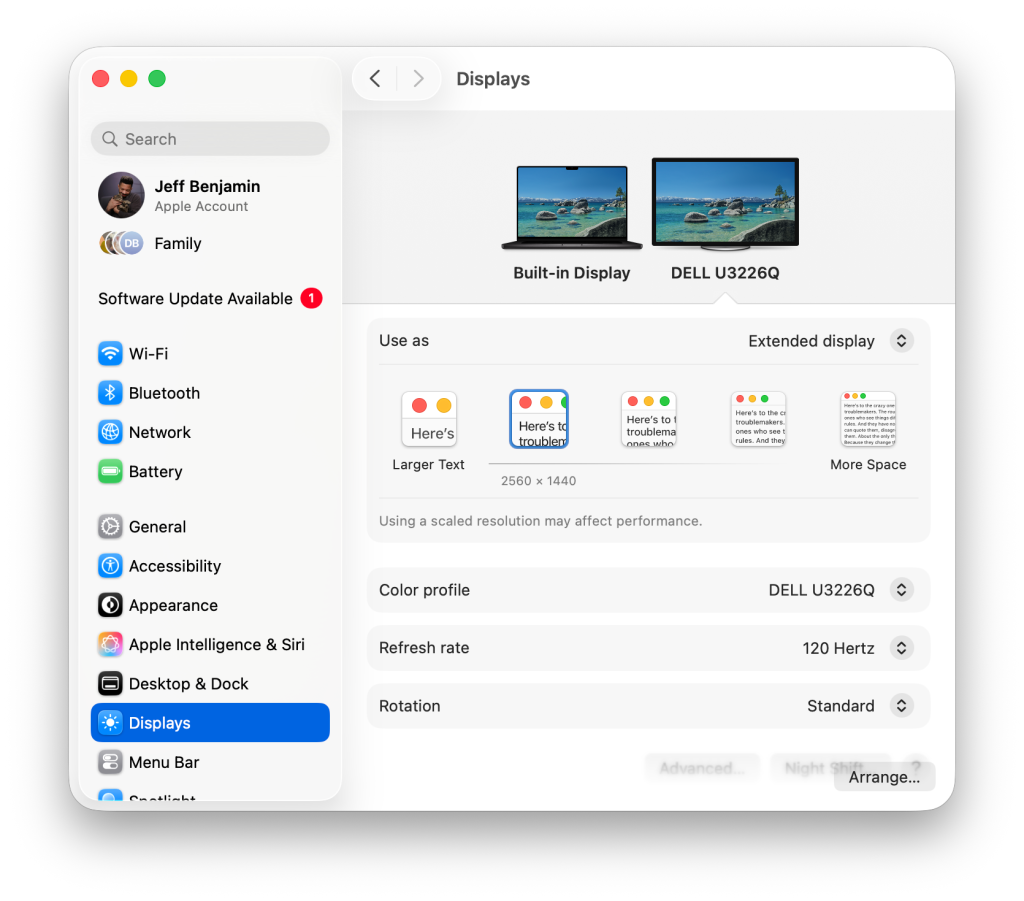
macOS 27 has changed this limitation. The system now allows users to enable HDR while selecting a scaling resolution of 2560×1440. This entire feature is provided natively by the system, without the need to install any third-party software.
In addition to overcoming resolution limitations, macOS 27 also expands the system-level HDR support range. The system can display brighter highlights, a more distinct HDR cursor, and a stronger contrast between light and dark. This is suitable for Studio Display XDR, Pro Display XDR, as well as third-party OLED monitors.